

|
WhoCrashed Introduction
WhoCrashed reveals the drivers responsible for crashing your computer
Latest version: v7.10
Whenever a computer running Windows suddenly reboots without displaying any notice or blue or black screen of death,
the first thing that is often thought about is a hardware failure. In reality, crashes are often caused by malfunctioning
device drivers and kernel modules. In case of a kernel error, computers running Windows do not show
a blue or black screen unless they are configured to do so. Instead these systems suddenly reboot without any notice.
WhoCrashed shows the drivers that have been crashing your computer with a
single click. In most cases it can pinpoint the offending drivers that
have been causing misery on your computer system in the past. It does
post-mortem crashdump analysis and presents all gathered information in
a comprehensible way. In case your system has been crashing because of a hardware failure, WhoCrashed will provide
you with guidance to trace the root cause of the problem.
Normally, debugging skills and a set of debugging tools are required to do post-mortem crash dump analysis. Using WhoCrashed you
do not need any debugging skills to be able to find out what drivers are causing trouble to your computer.
If your computer crashed and produced a blue or black screen
It is suggested that you run WhoCrashed. WhoCrashed will analyze the crash dump files available on your computer and create a conclusion. It will inform you about responsible drivers and offer suggestions on how to proceed.
If your computer unexpectedly reset or shut down
If your computer unexpectedly reset or shut down, it is suggested that you run WhoCrashed. WhoCrashed will tell you if crash dumps are enabled on your computer, if not it
will offer you suggestions on how to enable them.
Click here for more information about sudden resets and shut downs.
If your computer crashes during the boot phase
If your computer crashes during system startup it is suggested that you boot into safe mode and then run WhoCrashed.
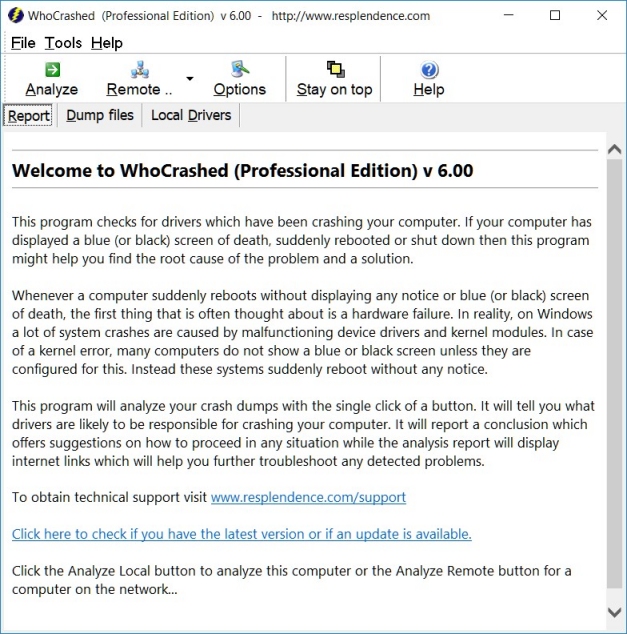
Screen shot
Note
Note that WhoCrashed cannot always be exactly sure about the root cause of a system crash. Because all kernel modules run in
the same address space, any driver or other kernel module can potentially corrupt another. Also, any driver may be able to cause problems to any other
driver that runs in the same device stack. This is to say this software is not guaranteed to identify the culprit in every scenario.
WhoCrashed documentation and articles
· General Recommendations and Tips · Unexpected Resets and Shutdowns
Copyright © 1997-2025 Resplendence Software Projects. All rights reserved. Privacy Policy.
Page generated on 12/6/2025 8:16:37 AM. Last updated on 10/21/2024 7:36:58 PM.